
Effective Accounting and Management
of Car Rentals for Fleets
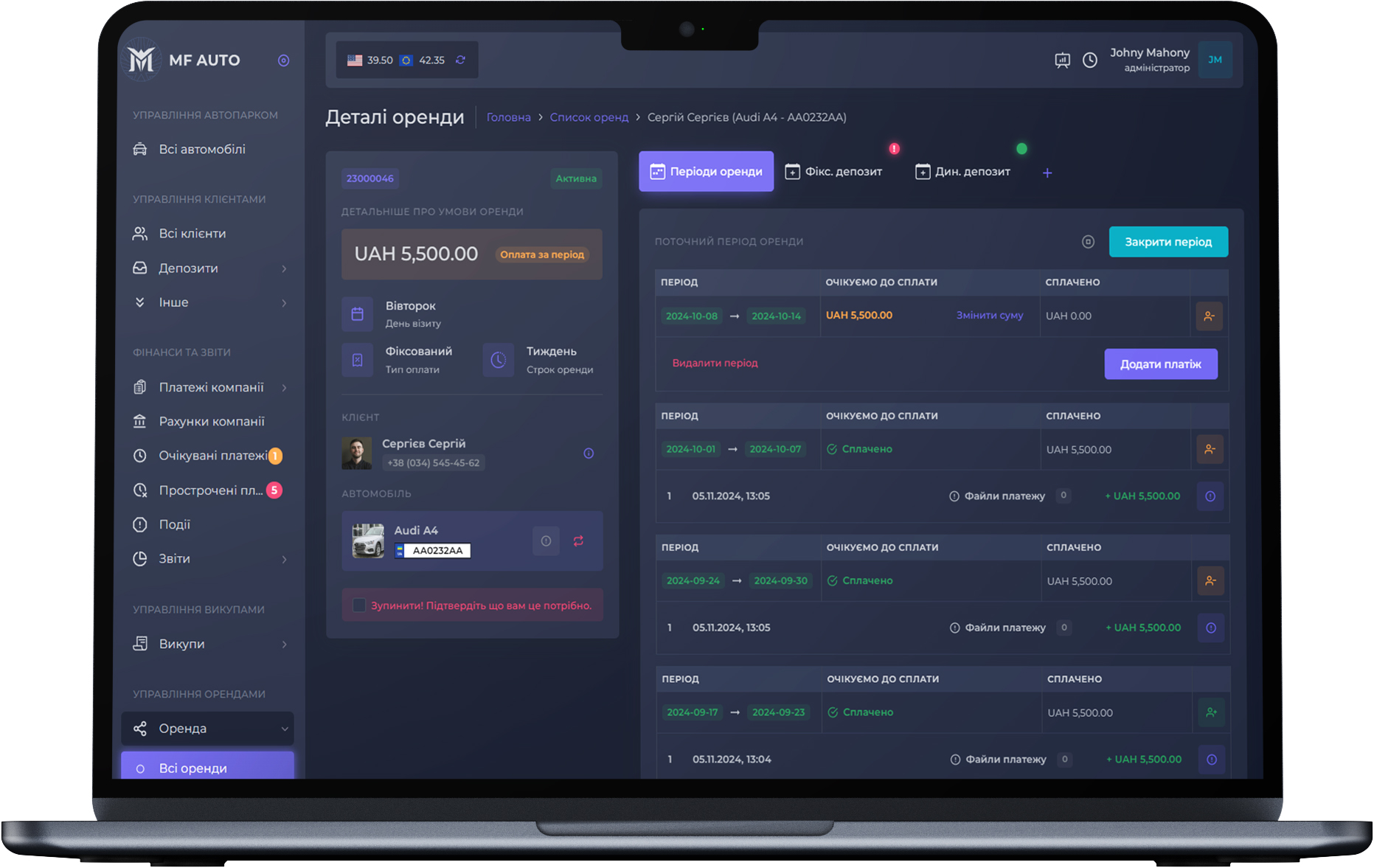
Managing car rentals has never been so easy, intuitive, and convenient for controlling and optimizing all fleet processes.
MF AUTO CRM allows you to manage fixed and percentage rentals. To do this, the system provides a number of functions that allow you to flexibly manage the service.
To create a service, you need to specify the car and the client, after which a rental period is created in which payment is expected.
Rental Car Replacement
The functionality of changing the car within the rental allows you to keep a history of the cars used by the client.
Deposits and Debts
The deposits module is linked to the rental, allowing you to manage client debts and deposits for rental services.
Last payment period
Mark the last period (week) of car use to generate notifications about the end of the service.
Visit Fixation
An integral part of the rental service payment is the client's visit to fix the condition of the car.
Expected Visits
The CRM system automatically generates a list of visits according to the rental periods and displays them in the expected visits.
Rental Report
This functionality allows you to view the list of expected payments and the payments made according to the selected date.
Car Buyout Management Functionality
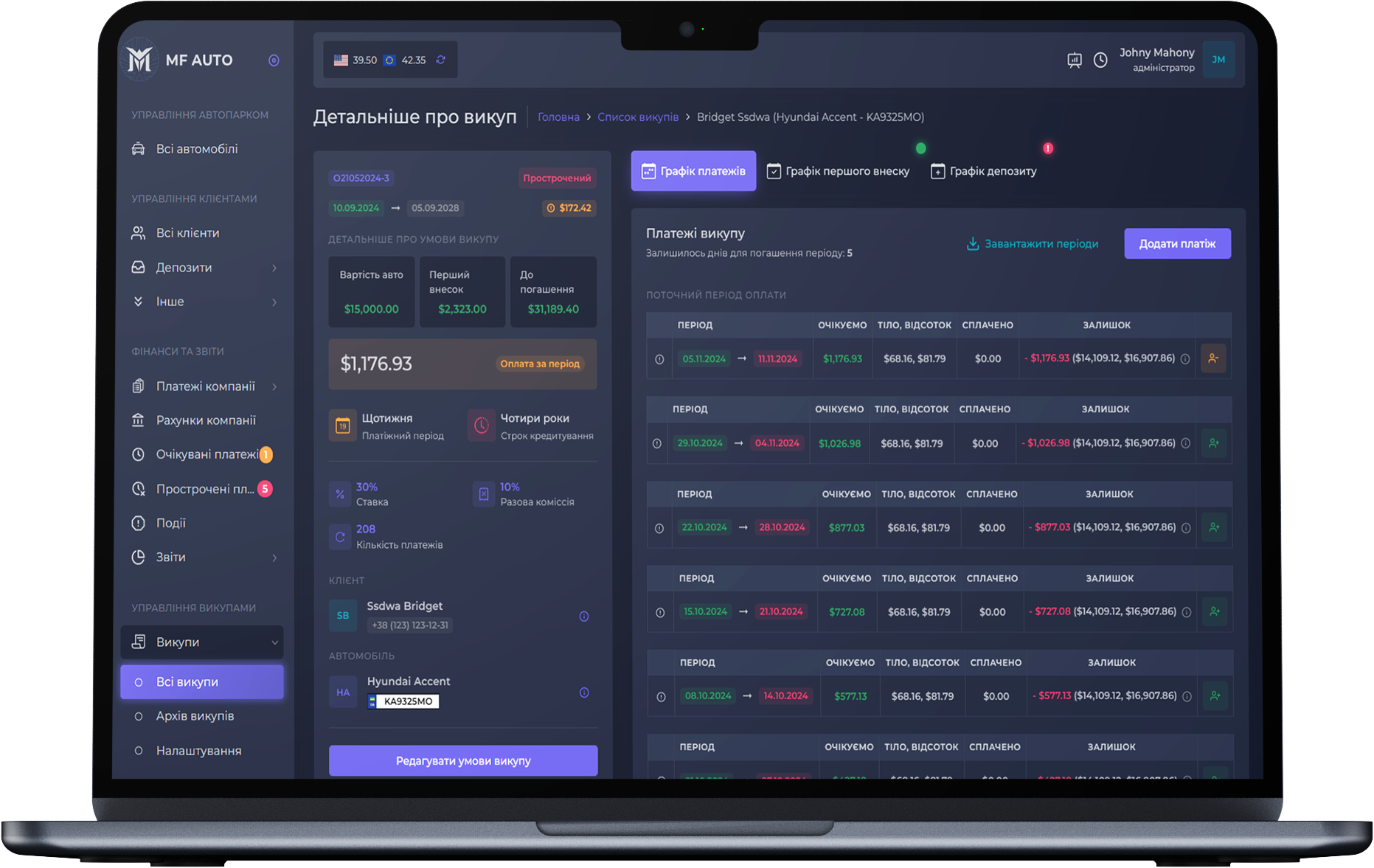
Our system allows you to create leasing agreements on any terms, edit and recalculate existing ones with a single click.
Create ready-made presets for leasing and use them to create leasing agreements with pre-calculation.
The ability to create services retroactively allows you to enter services that have already been provided and check their correctness.
First Payment
The ability to split the first payment into installments for delayed payment.
Presets Management
Convenient mechanics for creating presets for adding leasing agreements under certain conditions.
Deposits and Debts
Modules for managing client debts and penalties within the framework of leasing agreements.
Leasing agreements editing
We provide the ability to edit the terms of the leasing agreement at any time with subsequent recalculation of the debt.
Leasing agreements overview
View upcoming payments, clients who are due for payment, or vehicle showings.
Leasing completion
You can close the lease and stop calculations at any time.
Car Insurance
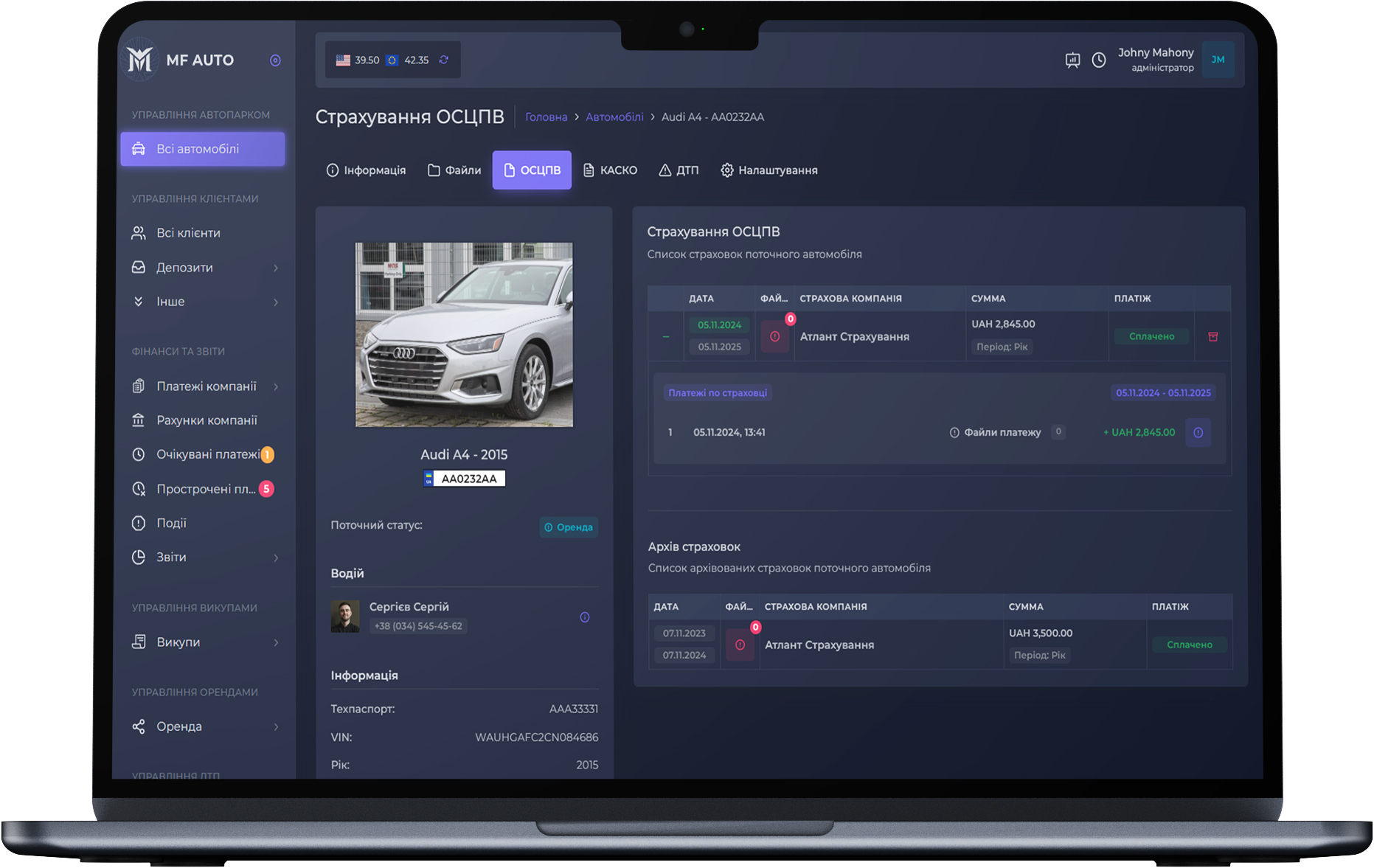
This module allows you to store car insurance policies and record payments for them.
You can enter CASCO and OSAGO insurance policies for your company's vehicles, with the possibility of using them in the Accidents module if necessary.
The archive and list of insurance policies allow you to monitor your insurance and see the overall picture of vehicle insurance.
Receive notifications about the need for insurance payment and the expiration date of the vehicle insurance.
Managing Accident Cases
and Insurance Claims
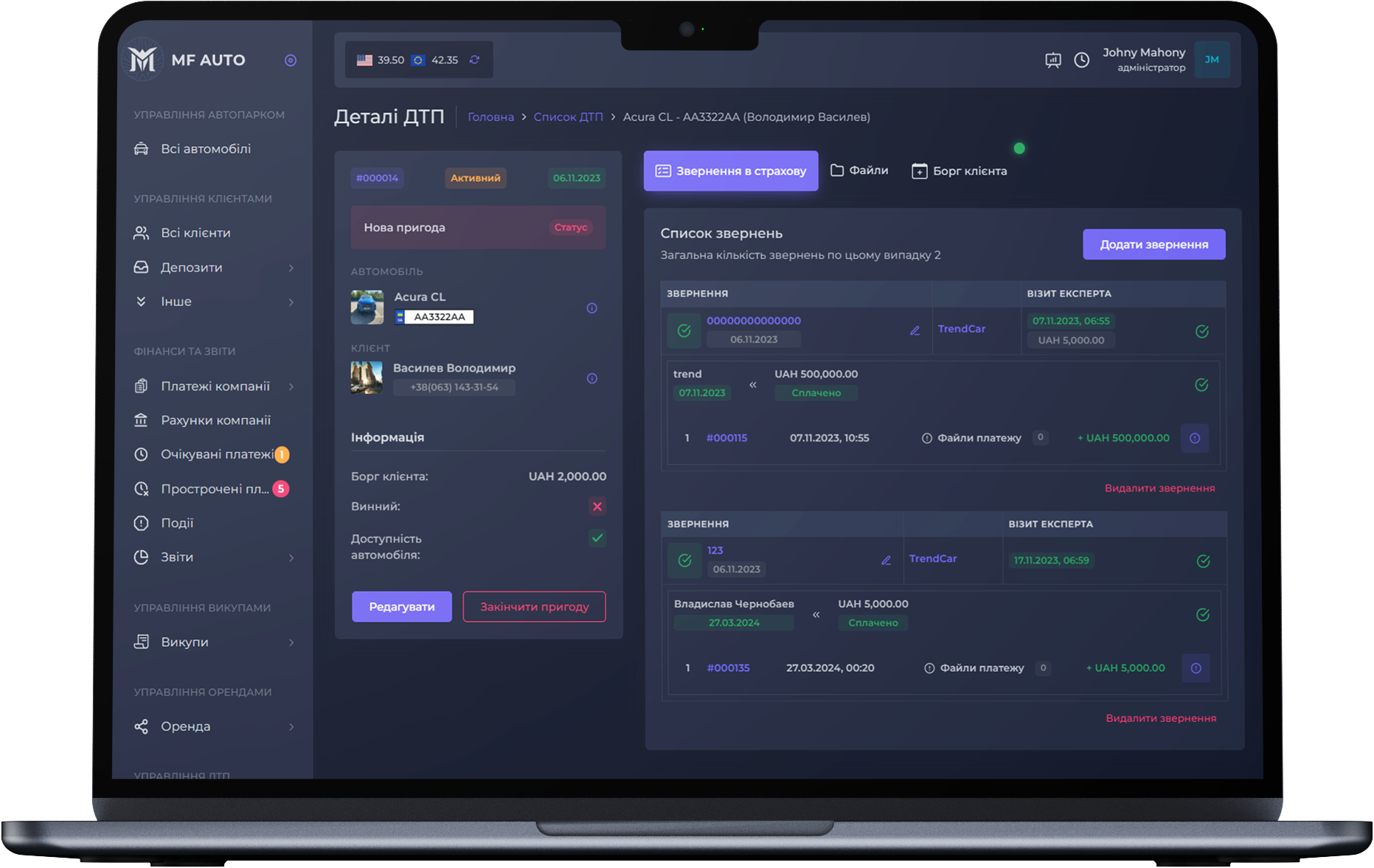
This module helps manage accident cases, structure data, and have all information about the case and claims in a convenient format.
When adding an accident case to the system, you have the option to block the vehicle for services. If the client is at fault, you can create a client debt for this accident case.
Create a claim with the insurance company of the vehicle or with the insurance company of the at-fault party. Record the expert visit and expected payments from the insurance.
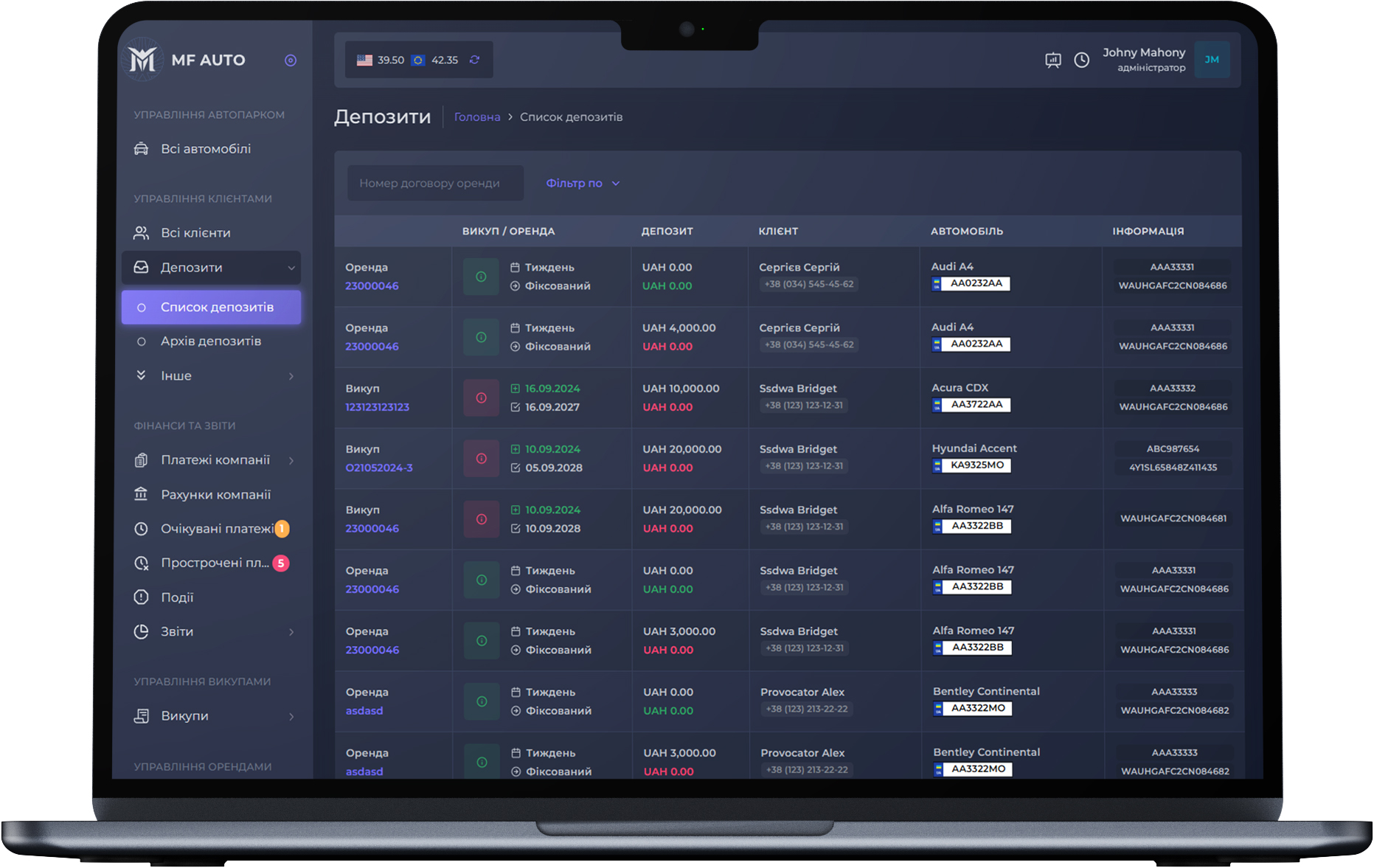
Client Deposits
This is a comprehensive solution integrated into the rental, buyout, and accident modules, allowing for financial records related to the client.
Track financial obligations or deposits of the client on the page listing all deposits in the system. Create dynamic deposits in rentals to manage debts for specific cases that do not fall under the standard.
View information in the client profile under the Finance tab about their current deposits and debts to the company.
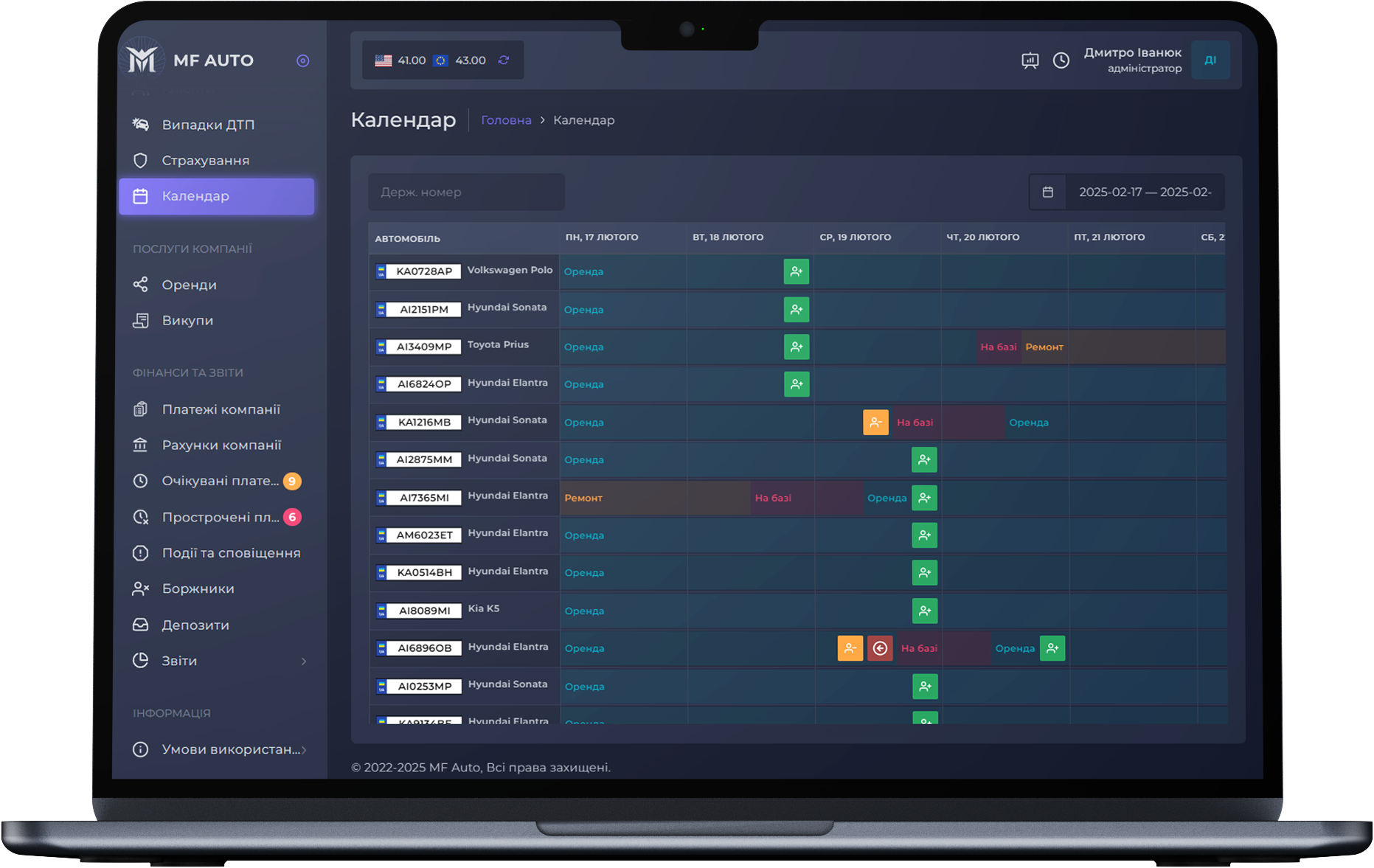
Fleet Calendar with Event Information and Notifications
Control rental payments and visits, history, and events related to vehicles on specific days
The fleet calendar allows you to understand the vehicle history, its current status, scheduled events, returns from rental, and more.
The ability to create notifications that will be displayed both in the calendar and in the CRM notification system for a certain period of time.
Integration with the rental and buyout modules allows you to display information about events in these modules and show information about scheduled visits and payments.
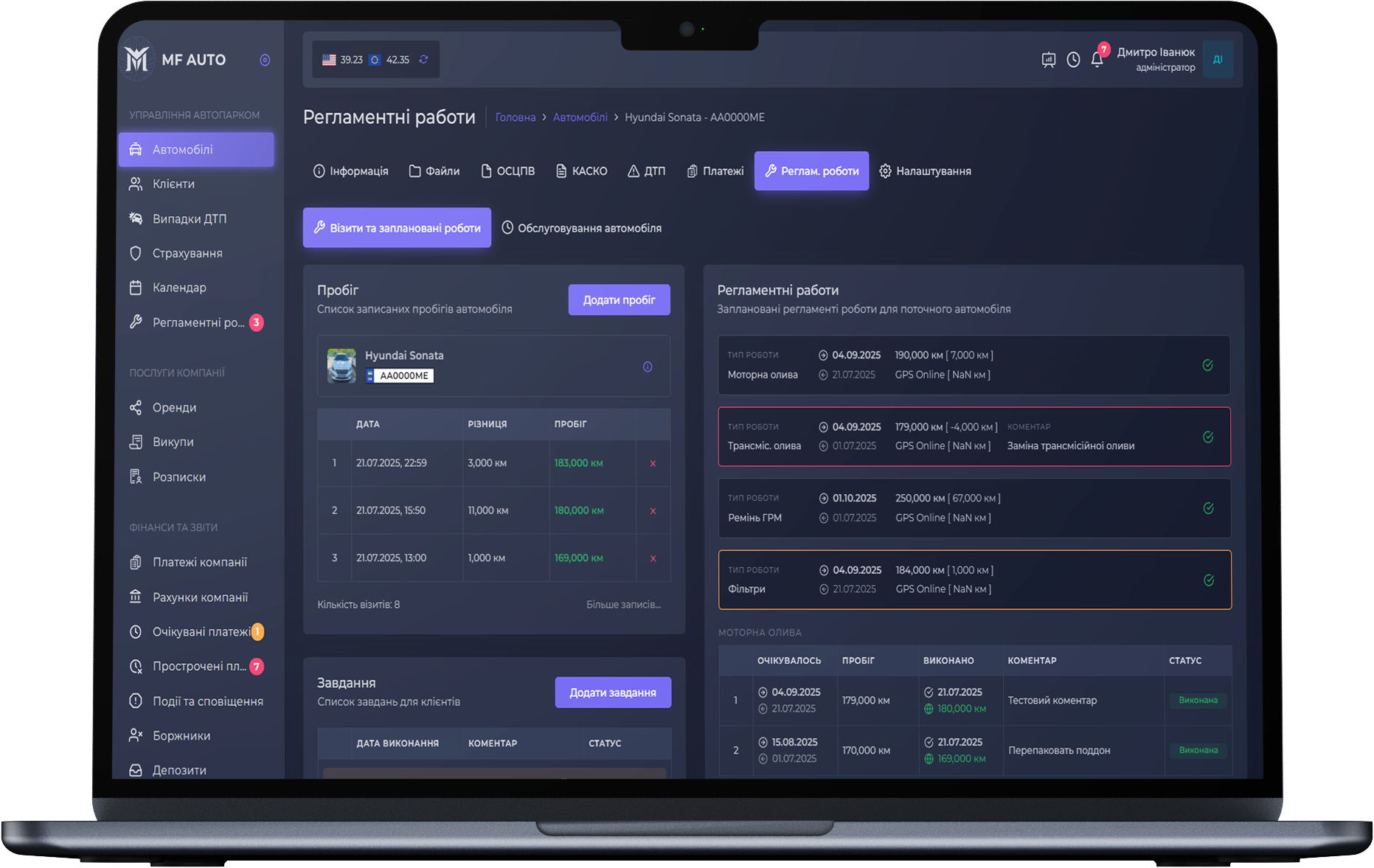
Reglament works
Convenient solution for carrying out maintenance work on fleet vehicles.
Grant permissions to specific employee roles to add vehicle mileage and schedule maintenance work for fleet vehicles.
The functionality of maintenance work can be used as an autonomous module related to vehicles, as well as related to the Repair module, which allows you to view scheduled work, record mileage, and control work execution.
Fleets that trust us
Our clients are companies that have entrusted us with the automation of their business.
Every day we support them at a professional level, ensuring stable and efficient operation.


MF AUTO CRM — Fleet Management
Start your experience with 14 days of free access.
We will do our best to help integrate the system into your company.
Frequently Asked Questions
Perhaps you will find the answer to your question here.
If not, please contact us by phone numbers in the contacts.
We will answer all questions and help you understand our product.
You can easily become our client by following a simple set of steps. Submit an application on our website with up-to-date information about your company. After that, our manager will contact you to arrange a meeting. During the meeting, we sign a contract, provide free access to the system, and full information for use.
After you get access, create new roles and add vehicles and clients to the system.
If you have any questions while using the system, you can contact our technical support. Our managers will do their best to help you.
To help you understand if our fleet management system is right for you, we offer a trial period. If the subscription fee is not paid, your company's data will remain in the system for 30 days.
If payment is not made within this period, all personal data about your company will be deleted from the system.
MF AUTO is a solution for fleets of various types and sizes engaged in car rental and/or leasing (buyout).
This CRM system is designed for fleets with any number of vehicles and is created to help control all work processes in the company, profits, and losses.
Our system is very flexible and has advanced functionality for controlling client debts. This can be implemented using the rental or buyout deposit function available in each module. Our system allows the creation of additional dynamic rental deposits and enables specifying debts. The accident module has an integrated debt system that is triggered if the incident occurred due to the client's fault.
If the debt case does not relate to existing services, you can create a company invoice, enter the required debt amount as a write-off, and monitor its repayment.
To create a new system user, you need to assign them a role. A role is a list of permissions that grant the user access to specific functions of the system modules.
Our system has about a hundred different permissions. You can choose the access capabilities for new users to various functions or restrict their activities within the specified modules.
You will be able to create users responsible, for example, for adding vehicle images, insurance and expert visits, payment control. You will have the ability to restrict an employee from viewing certain information, editing it, or deleting information about clients or payments. Also, if necessary, you can grant another employee the same system management capabilities as the owner.